Oshap
A QR-first ordering and payment platform : customers scan, browse, order, and pay; staff manage the full operation through a role-gated admin app.
Ordering in a busy bar means waiting for a waiter who is already carrying three tables. The venue loses covers to the queue, and the customer loses the round they would have bought.
The real thing. Right here.
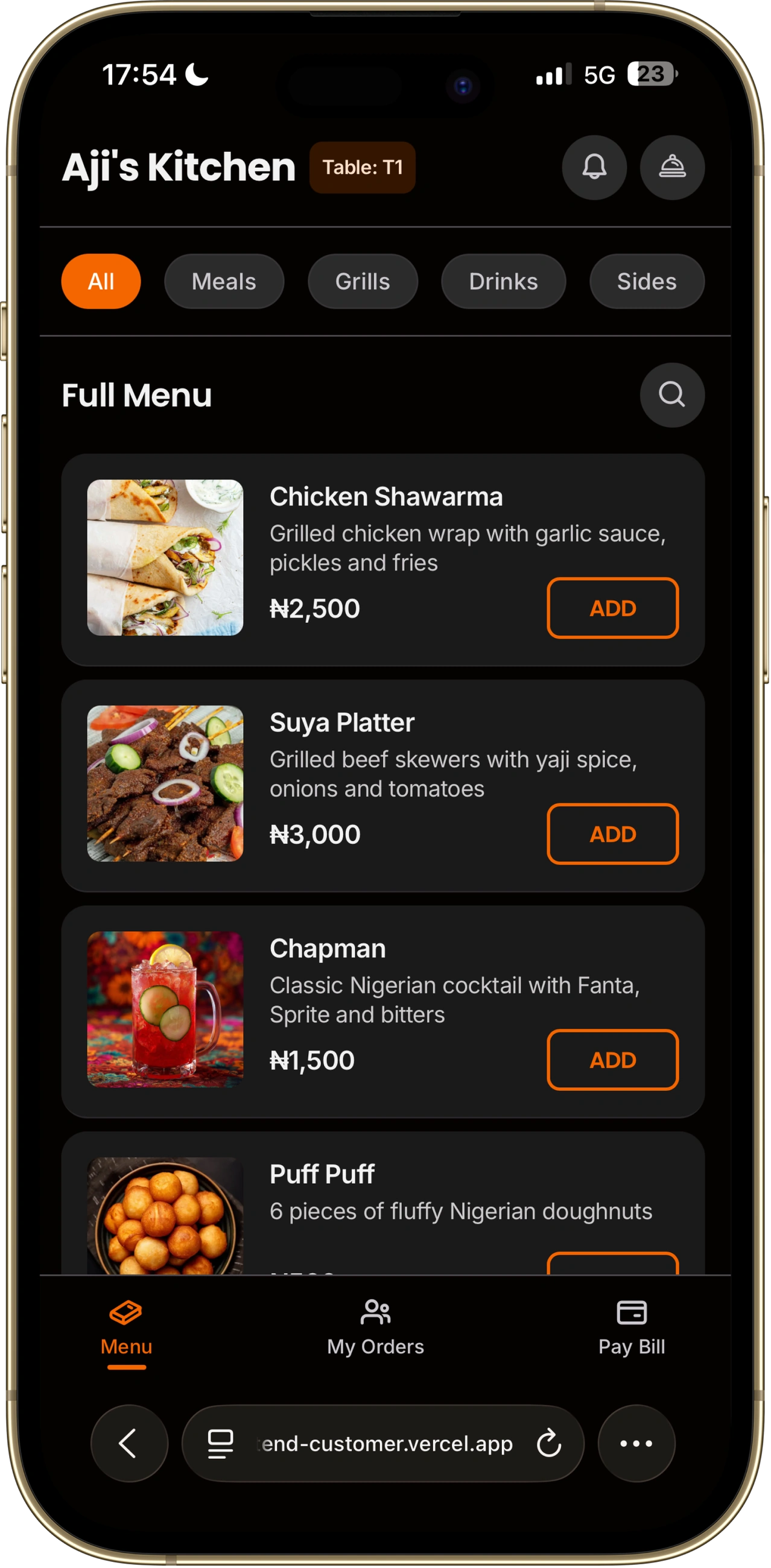
Not a prototype. The live customer app: browse the menu, add to cart, see the pay flow. Table T1 is active.
Open full app ↗
Scan → Browse → Order → Pay → Track.
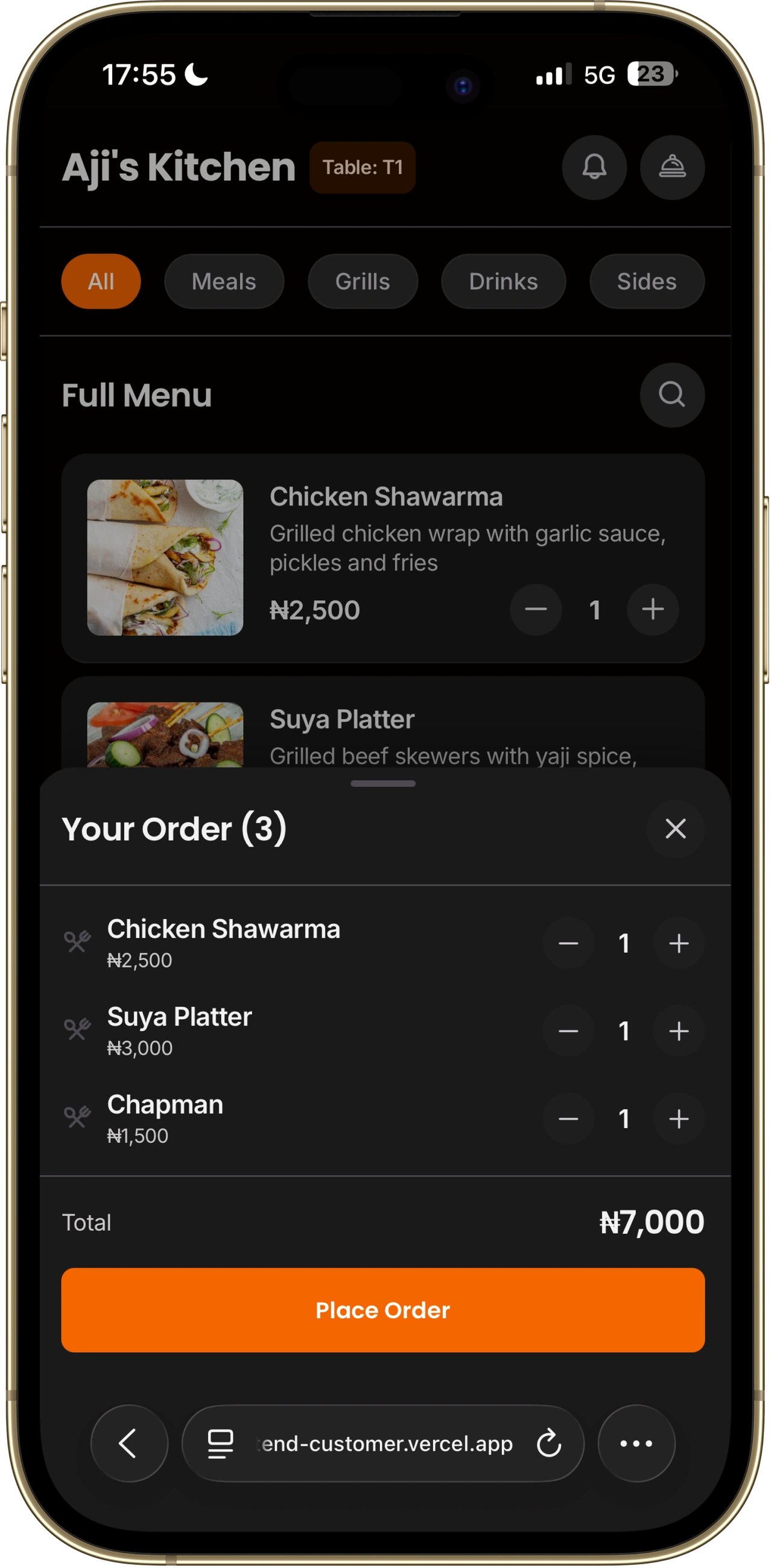
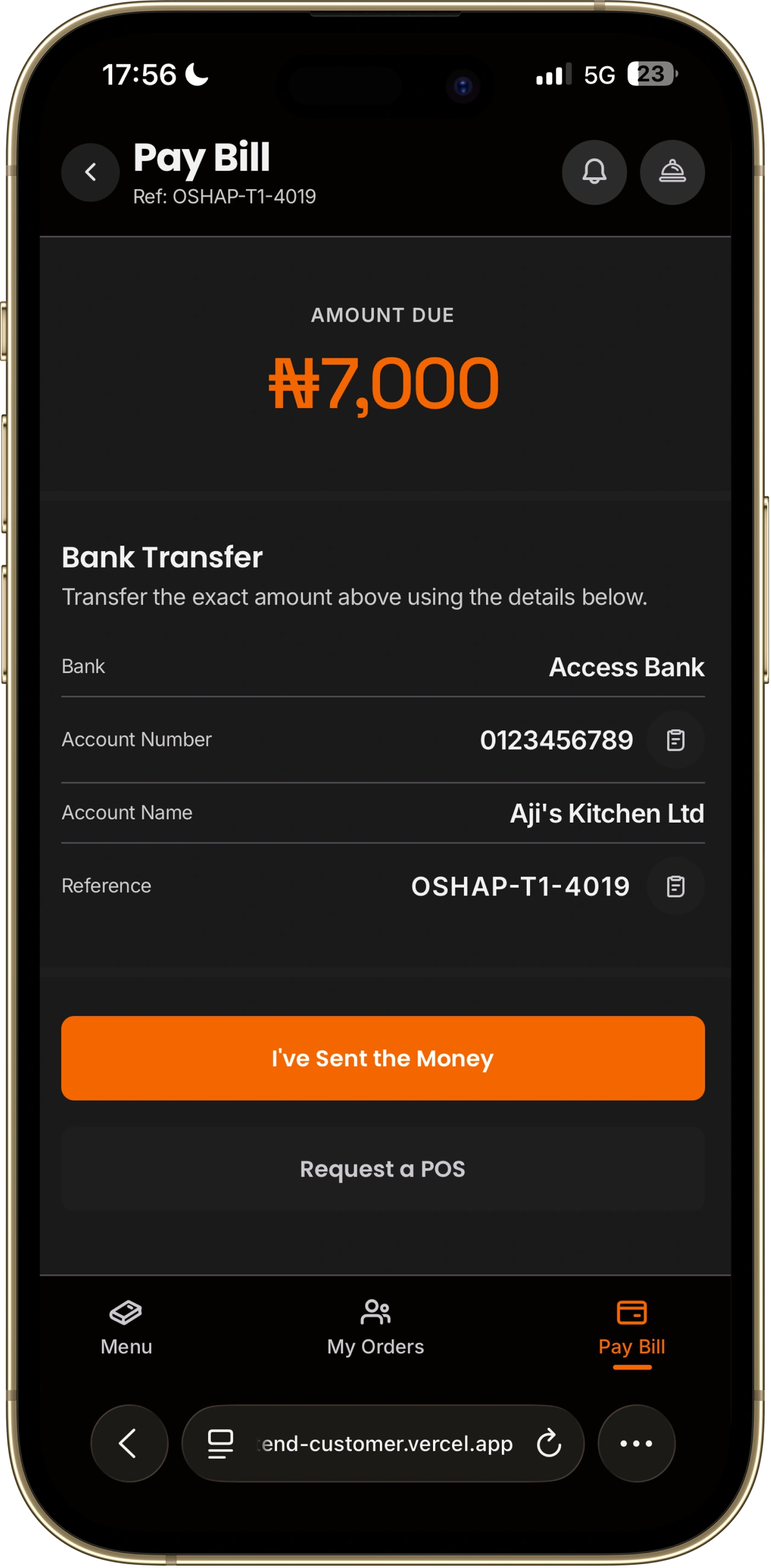
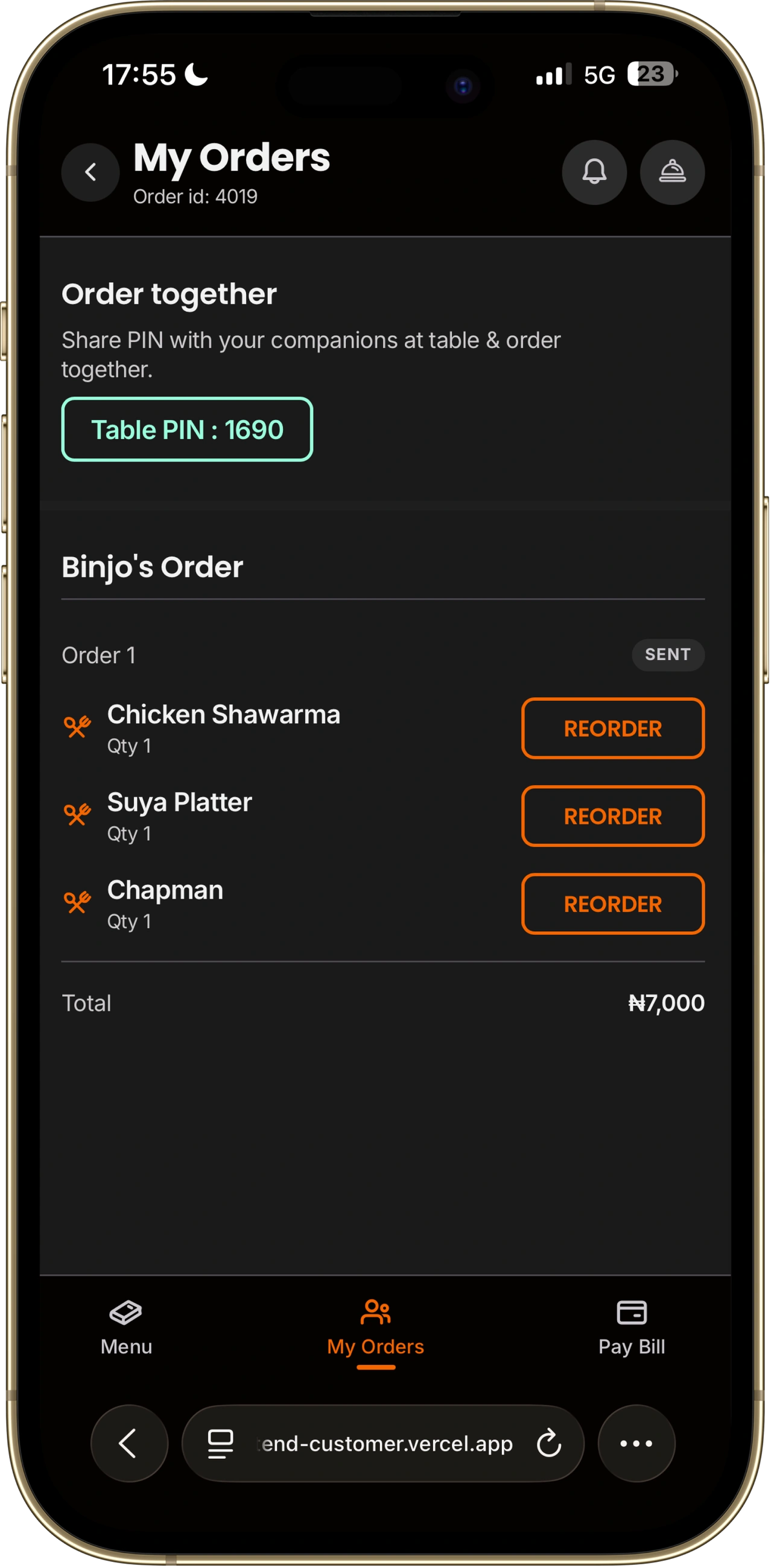
The customer flow is five steps with no account creation, no redirects, and no dependency on staff to proceed. Three signature moves and a persistent notification center make it memorable.
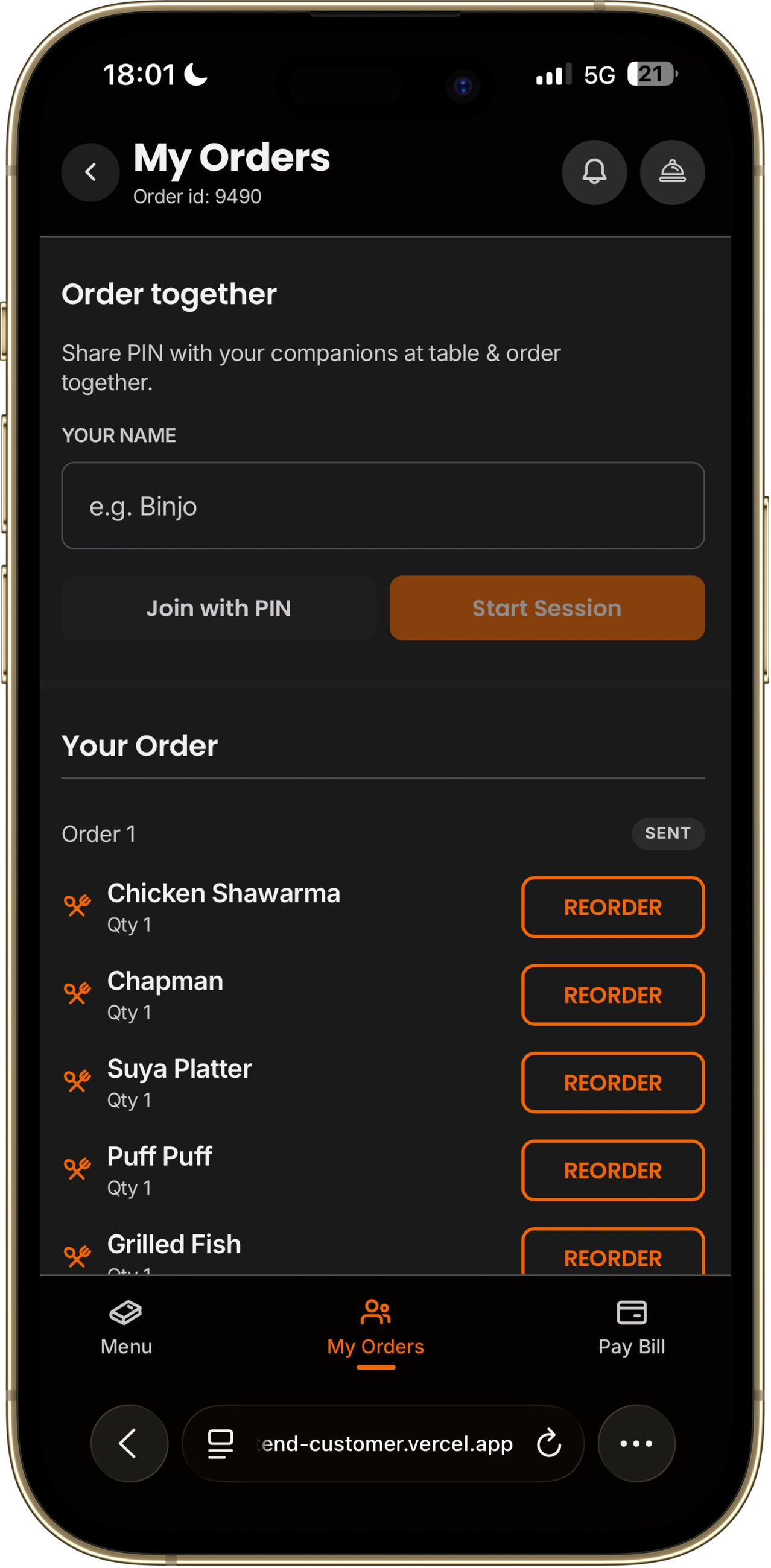
Any guest starts a shared table session; the backend generates a 4-digit PIN. Others join and merge their carts. The whole table sees one live tab and can pay individually or jointly.
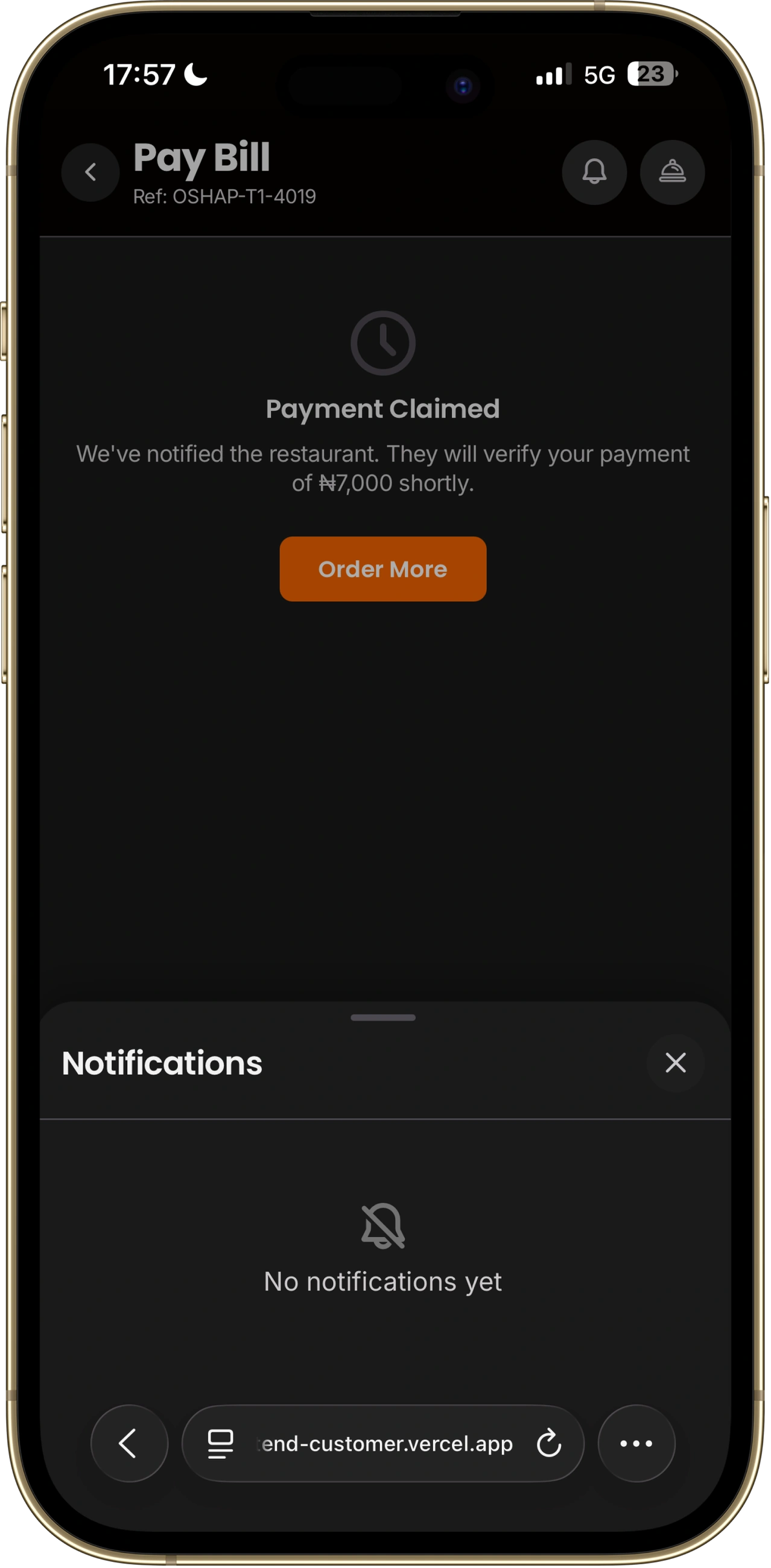
A persistent bell icon in every header. One tap fires a POST to /call-waiter → FCM push + audio chime on every admin device. The backend dedupes within 30 seconds so it never spams.
An alternative CTA on the pay screen. One tap → FCM push to staff; POS comes to the table. Uses the same admin verify handler as bank transfer; no separate flow on the backend.
A persistent bell icon in every customer header opens a notification feed backed by localStorage (keyed per table). Every toast also writes an entry to the feed. Unread badge, mark-as-read, and clear-all. Survives page refresh within the same session.
Individual logins. Six modules. Full visibility.
The admin app is a PWA, installable to the home screen; works on any tablet or phone a restaurant already owns. The Owner creates individual accounts for each staff member; access is scoped to their role. Multi-branch owners get a branch switcher in the nav — selecting a branch scopes all reads to that location.
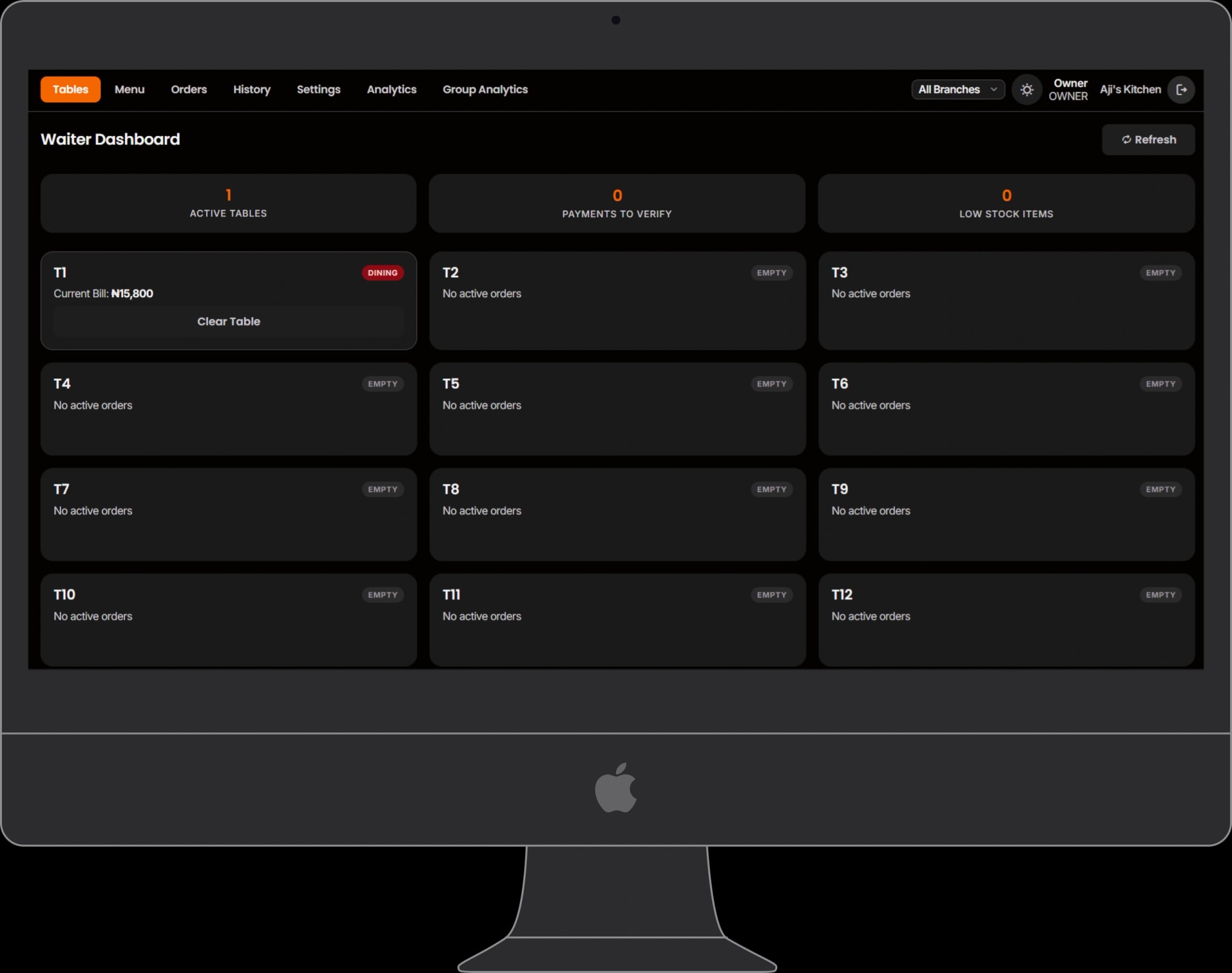
Live table list updated in real time via SSE. Per-table: unpaid total, pending-payment total, Verify and Clear Table actions. Surfaces a low-stock chip when inventory is critical.
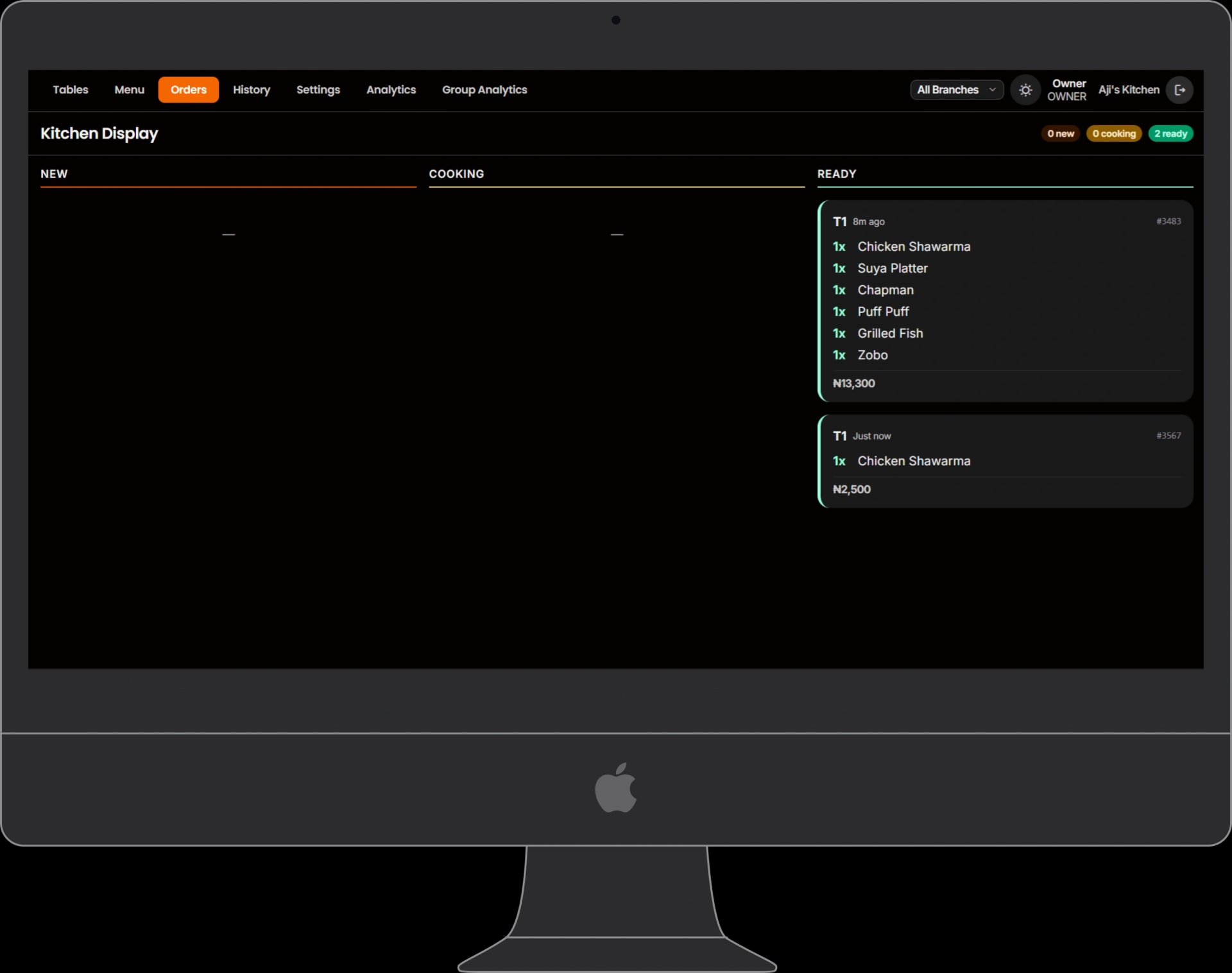
All active orders in CREATED, PREPARING, READY. One tap moves an order forward. Customers see the same state change on their My Orders tab in real time.
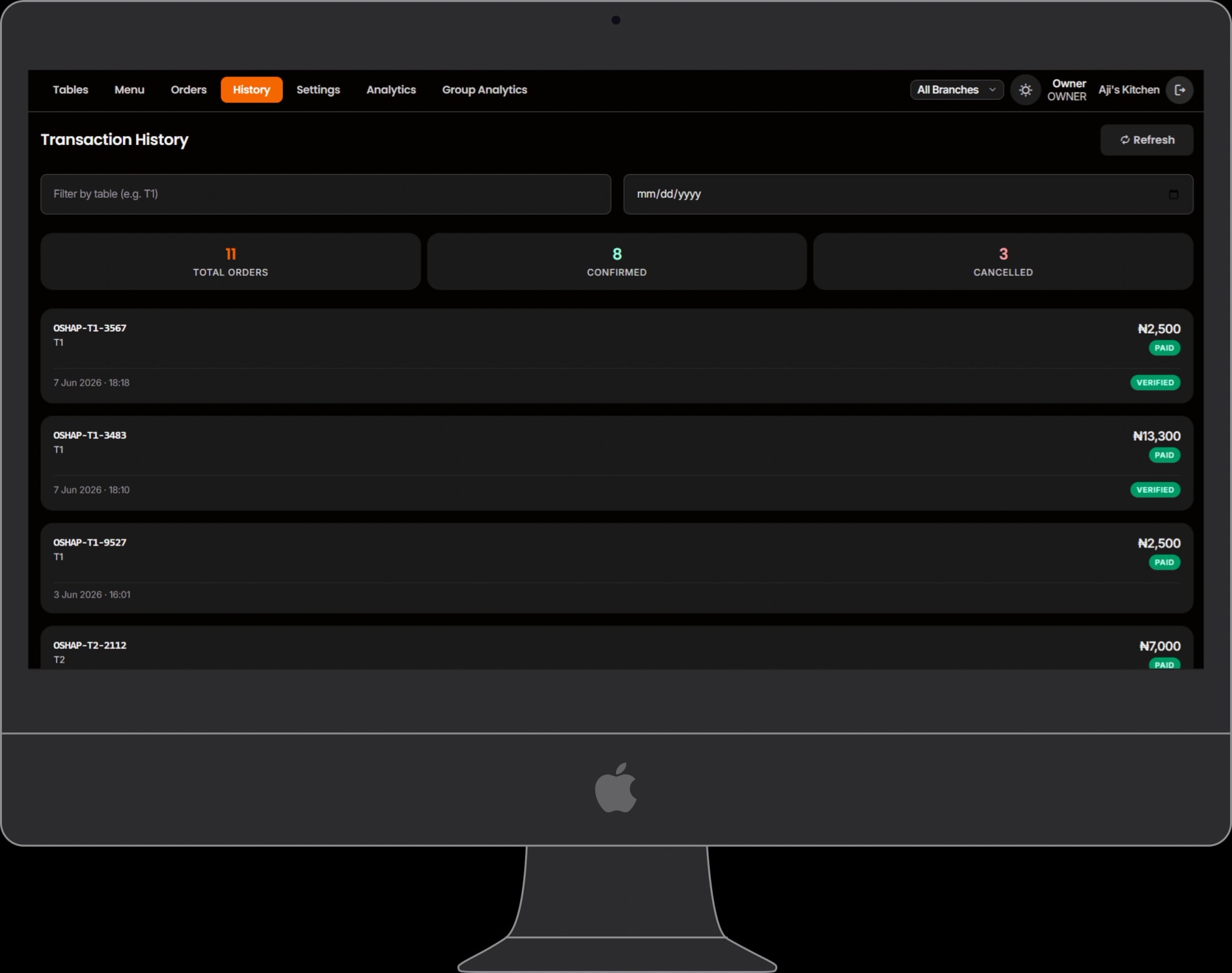
Paginated CONFIRMED and CANCELLED orders. Per-page summary: confirmed count, cancelled count, page revenue. Filterable by table and date.
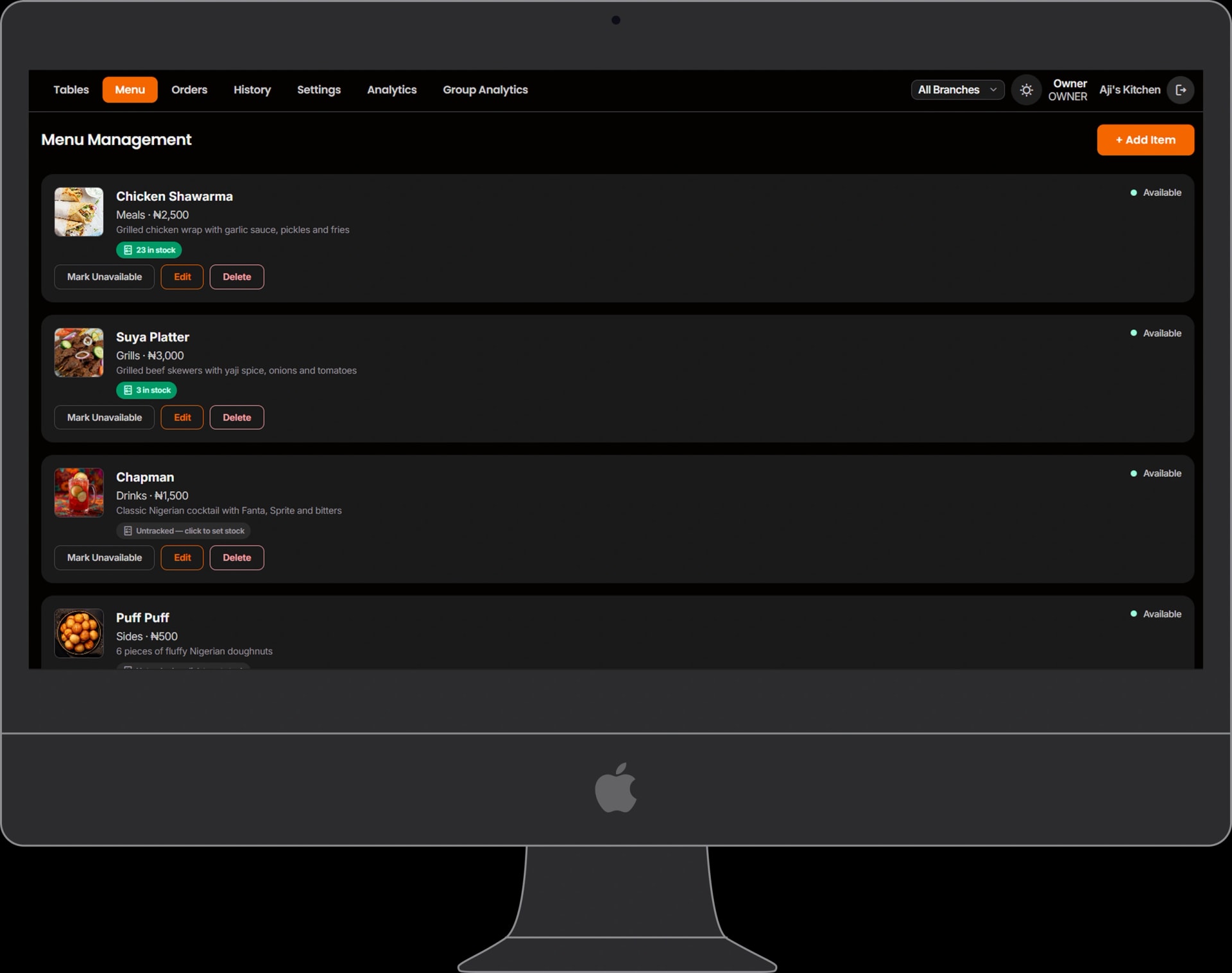
Add, edit, and remove menu items: name, price, category, description, image, availability, sort order. Inventory: per-item stock count and low-stock threshold; inline editor; auto-disable at zero stock.
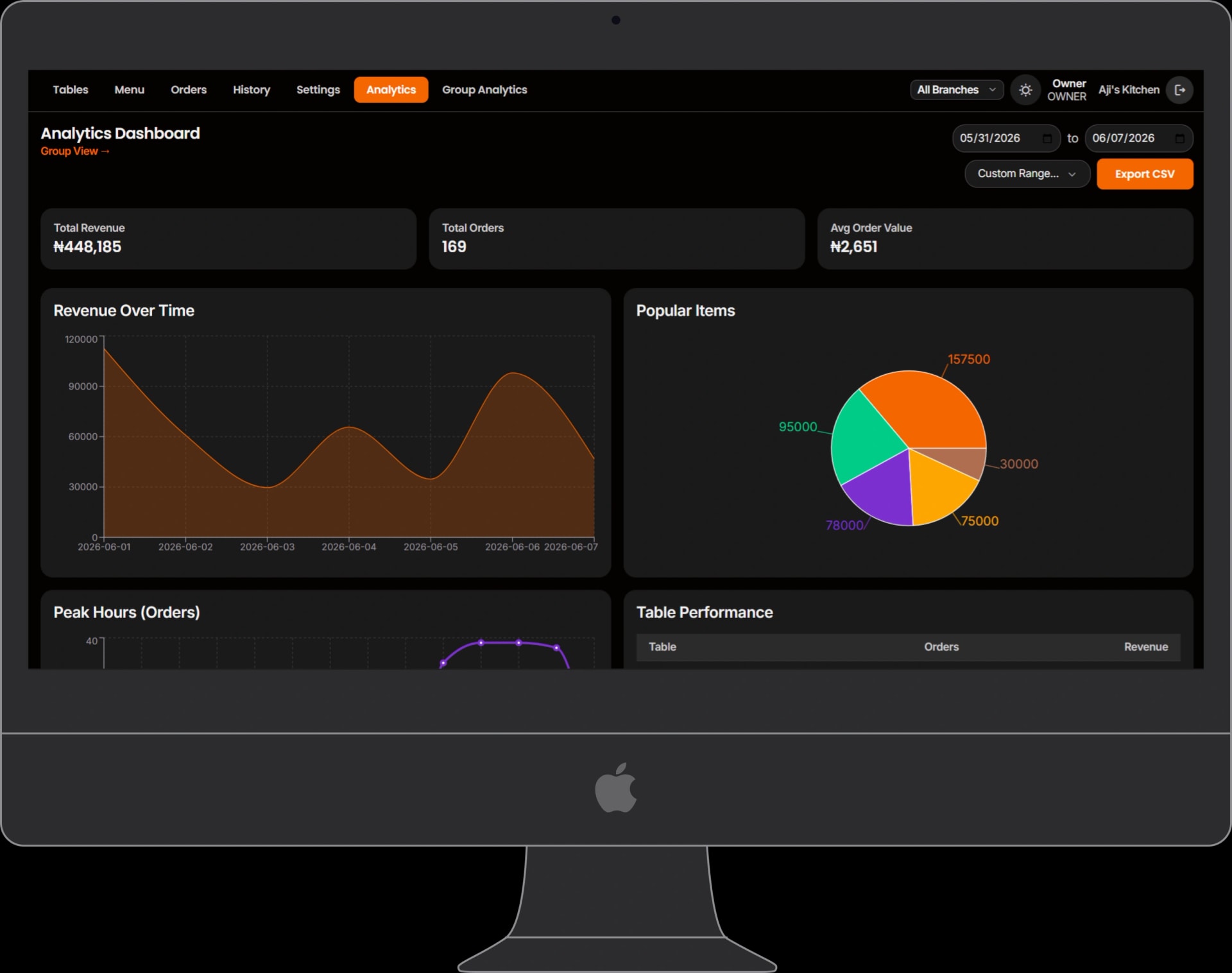
Revenue over time, popular items, peak hours, table performance, staff activity; date-range picker; CSV export. Owner only. Group view aggregates revenue across branches.
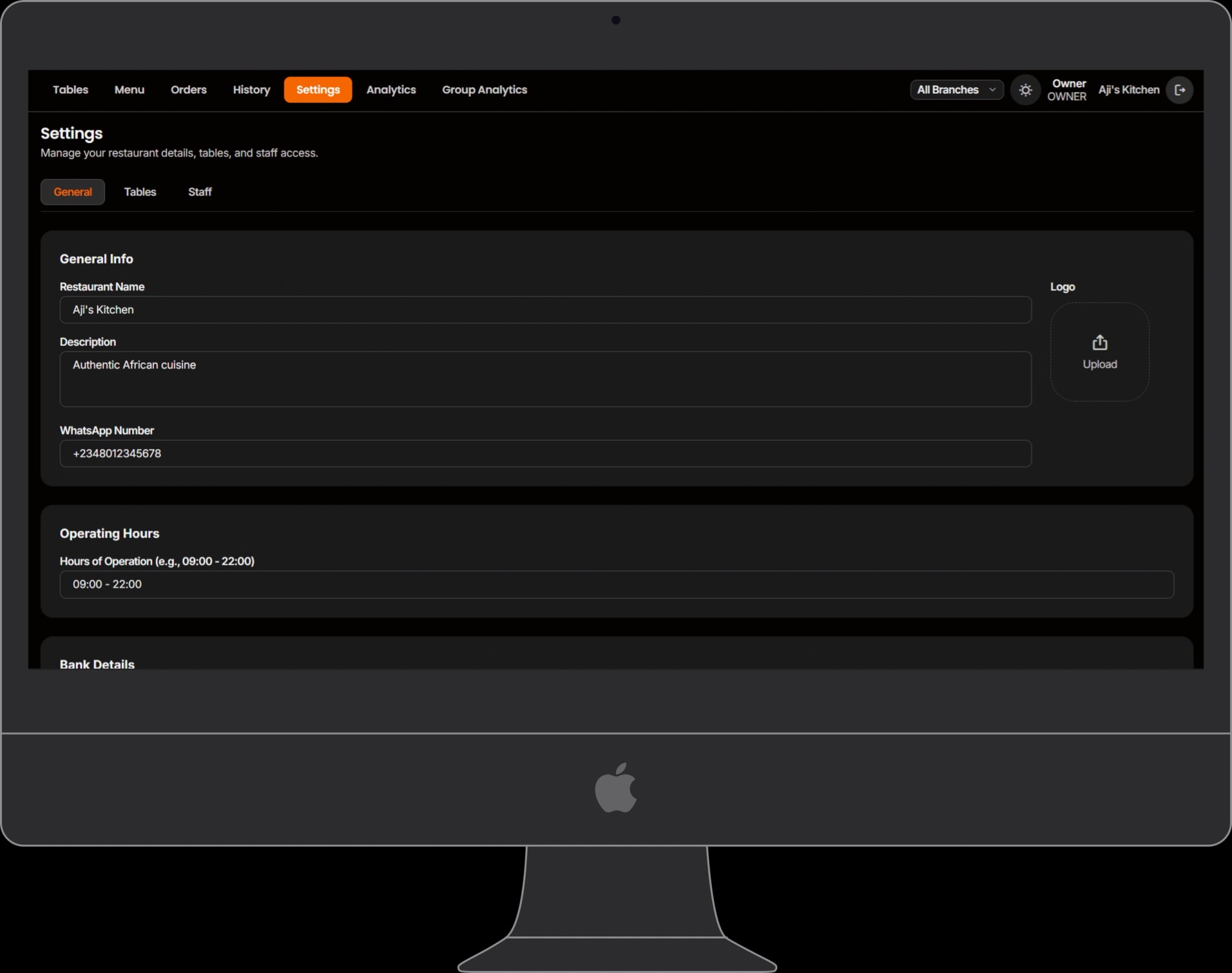
General: restaurant info, operating hours, bank details, logo upload. Tables: add or remove. Staff (Owner only): create accounts, assign roles, edit, remove.
Seven push trigger types: new order, order ready, payment claimed, payment verified, table closed, waiter called, POS requested. When the admin app is open, an AlertCenter intercepts FCM messages, plays a two-tone Web Audio chime (no asset file), and queues a toast. Service worker handles background OS notifications when the tab is hidden. The app is installable to home screen with display: standalone.
The third app: Oshap's own back-office.
Internal Oshap operators onboard tenant restaurants, manage subscription tiers, and monitor system health through a separate portal. Access is gated by an x-platform-token header. The client gate is UX only; the backend must enforce it.
Tenant overview and quick-onboard entry point. At-a-glance health across all restaurants on the platform.
Searchable, filterable tenant list. Each row links to a detail view for managing a single restaurant.
Two-step wizard creating a new tenant via POST /platform/restaurants. Sets name, email, tier, and table count.
View tenant data; change subscription tier; activate or deactivate the restaurant.
Tier and billing overview: FREE, STARTER, PRO, ENTERPRISE.
System metrics: uptime, latency, error rate, active sessions via GET /platform/health.
One rule. Six measurements.
The headline metric is qualitative: faster than a waiter. These six measurements make it falsifiable.
Scan → order
Time from QR scan to first order placed. The number Oshap is designed around.
Scan → order rate
Percentage of QR scans that result in at least one order placed: the funnel health metric.
CLAIMED → CONFIRMED
Verification latency for bank-transfer claims. How long customers wait after tapping 'I've sent the money'.
CREATED → READY
Kitchen throughput time. Measured per order; averaged per shift. The merchant's half of the speed promise.
Payment completion
Percentage of PAYMENT_PENDING orders that reach CONFIRMED: the leakage metric.
Orders per table
Average orders per table per day. Proxy for how deeply Oshap is embedded in the venue's operations.